|
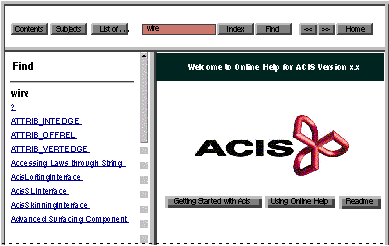
When using the
Find search function, be aware that the
Find function:
|
|

|
Currently
searches only for one word at a time; does not allow the use of spaces
|
|
|
Allows wildcards; one or more * can substitute for any character. The * can precede and/or follow the character string.
|
|
|
Is case sensitive
|
|
|
Can be stopped with the browser "Stop" button
|
|
|
Does not allow use of the
Browse (<< and >>) buttons to step through the search results
|
|
|
Is not supported on Macintosh platforms, due to browser limitations
|
|
|
Note
|
There is no indication of a failed search (e.g., "the character string was not found").
|
|
|
|
|
Figure 2-7. Selection Frame -- Find Search
|