|
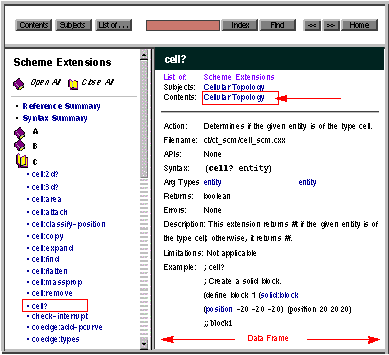
This identifies the component where the topic or template is located. Click on this link to change the information displayed in the selection frame to the table of contents of the applicable component book. This is equivalent to clicking on the
Contents button in the navigation frame.
|
|
|
For example, clicking on "Cellular Topology in the
Contents field" changes the information in the selection frame to what would be displayed if you had:
|
|

|
Clicked on
Contents in the navigation frame
|
|
|
Clicked on the bookshelf icon for "Cellular Topology" in the selection frame
|
|
|
Clicked on the book icon for "Scheme Extensions," and
|
|
|
Clicked on "cell?"
|
|
|
|
|
Figure 2-13. Data Frame - Contents Hyperlink
|
|
|
Hyperlinks that appear within the body of the data frame link to other pages that are displayed in the data frame. To return to the previous page, use the browser's
Back button.
|